
Ditch the Paperclip: Why Links are Better Than Attachments
The Problem with Email Attachments
Email attachments, while seemingly convenient, present several challenges in today’s collaborative digital landscape.
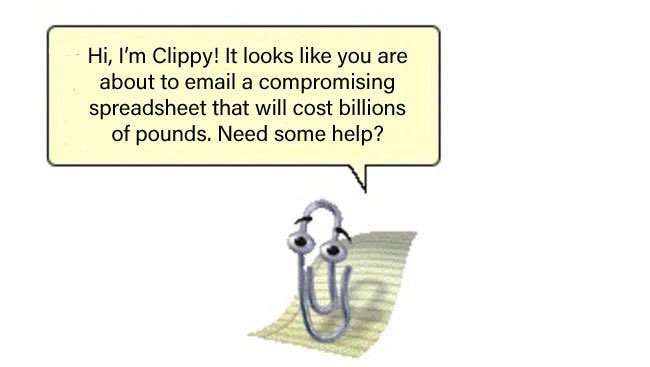
Security Concerns
When a document is attached to an email, a copy of that document is created. This means:
- Version Control Issues: Multiple copies of the same document can exist, leading to confusion about which version is the most current.
- Lack of Centralized Control: Once sent, you lose control over who accesses or further distributes the attached document.
- Increased Risk of Data Leaks: If the email account is compromised, the attached documents are also vulnerable.
File Size and Mailbox Limits
- Sending Limitations: Email providers often impose limits on the maximum file size that can be sent in a single email. Large attachments can lead to bounced emails.
- Recipient Mailbox Overload: Receiving numerous large attachments can quickly fill up a recipient’s mailbox, potentially causing issues with receiving other important communications.
Formatting and Compatibility Issues
- Software Dependency: Opening an attached document requires the recipient to have compatible software installed. Different versions of software or operating systems can lead to display issues or an inability to open the file at all.
- Loss of Fidelity: In some cases, formatting can be altered or lost when a document is opened in a different program or version than it was created in.
The Solution: Cloud-Based Document Sharing
Sharing a link to a cloud-based document offers a superior alternative, addressing the limitations of email attachments.
Enhanced Security and Control
- Centralized Storage: Documents are stored in a single, secure location in the cloud.
- Granular Permissions: You can control who has access to the document (view, comment, edit) and easily revoke access if needed.
- Audit Trails: Most cloud platforms offer logging features that show who has accessed or modified the document.
Overcoming File Size Limitations
- No Attachment Size Restrictions: Cloud services handle large files effortlessly, as you are simply sharing a link, not sending the entire file.
- Efficient Storage: Documents are not duplicated across multiple mailboxes, saving storage space for both sender and receiver.
Seamless Formatting and Collaboration
- Universal Accessibility: Cloud-based documents can be accessed from any device with an internet connection and a web browser, regardless of installed software.
- Real-time Collaboration: Multiple users can view and edit the same document simultaneously, seeing changes in real-time. This eliminates the need to send updated versions back and forth.
- Version History: Cloud platforms automatically track document revisions, allowing you to revert to previous versions if necessary.
Making the Switch: Practical Steps
To effectively “ditch the paperclip” and embrace cloud-based sharing:
- Utilize Cloud Storage Platforms: Familiarize yourself with services like Google Drive, Microsoft OneDrive, Dropbox, or similar platforms used by your organization.
- Upload Documents: Always upload documents to your chosen cloud storage.
- Share Links, Not Files: Instead of attaching, use the sharing features of the cloud platform to generate a link to the document.
- Set Appropriate Permissions: Before sharing, ensure you set the correct viewing, commenting, or editing permissions for each recipient.
Educate Others: Encourage colleagues and collaborators to adopt this practice for more efficient and secure document management.